Neptune DXP Documentation
How to run App in a public ICF subnode
In this guide, we will focus on running an app in a public ICF subnode, which involves setting up the necessary infrastructure resources to make your application accessible. In B2B/B2C scenarios there are cases where no authentication is wanted for certain apps.
Procedure
A new subnode must be created in ICF, under /neptune node. User and password should be present for this new subnode and also for /neptune/server and /neptune/public nodes.
In the example below, the subnode name is SDK
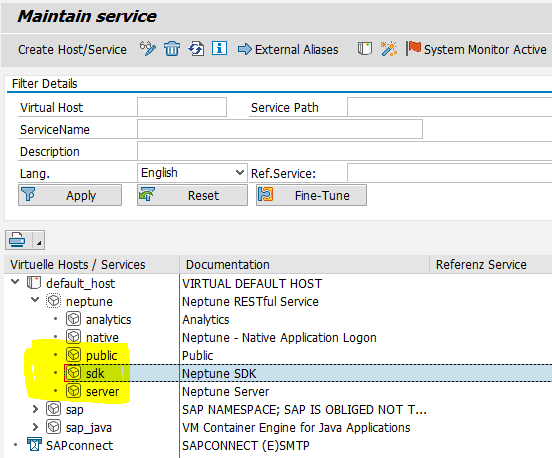
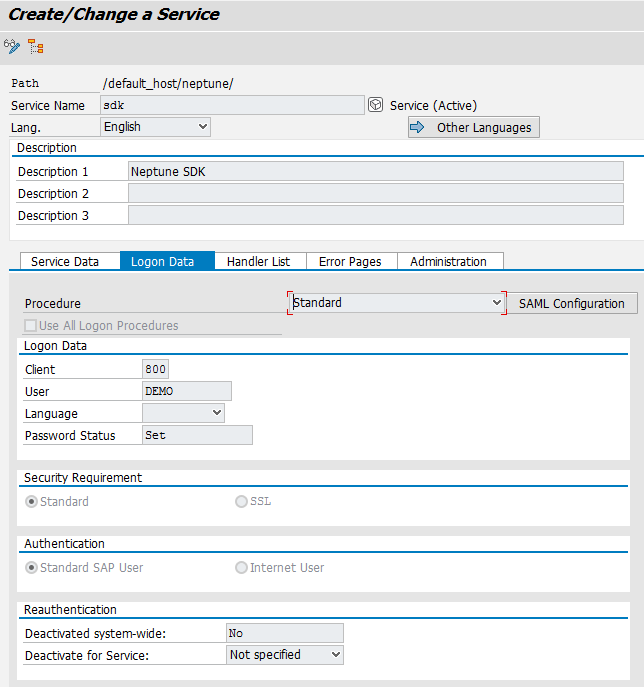
To set the new subnode for the app in Neptune Application Designer’s Settings tab:
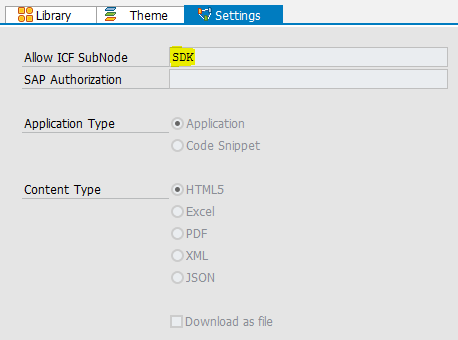
Finally, when running the app, ensure that the subnode is included in its URL. For example: