Add a Neptune app to SAP Fiori launchpad
Applications developed on Neptune DXP can be easily added to the SAP Fiori Launchpad. We recommend the following procedure since it enables smart variant management in your applications.
Neptune applications do not require individual SICF services. Neptune DXP
uses a centralized ICF architecture where all applications are served through the
/neptune/ HTTP handler. Only the /neptune/flp node must be activated in SICF
(one-time setup). This differs from standard SAP Fiori applications, which typically
require individual BSP deployments and corresponding SICF services.
|
Procedure
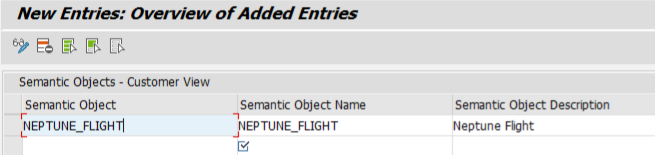
Open the SAP Fiori Launchpad Designer
You can find the SAP Fiori Launchpad Designer adjusting the following URL:
|
In newer S/4HANA versions, you may see multiple Fiori Launchpad administration tiles. We recommend using one of the following:
|
| Do not use the Launchpad App Manager for Neptune app configuration. If using the Launchpad Content Manager, select your catalog ID and select Open in Designer to proceed wit the steps below. |
Create a target mapping
Select one of your catalogs and create a target mapping.
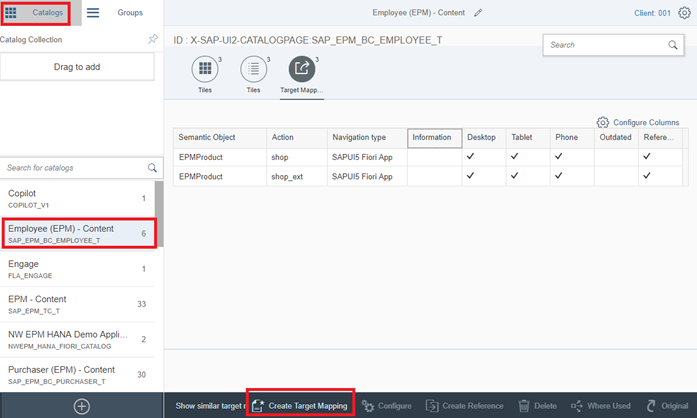
-
Application Type: SAPUI5 Fiori App
-
Title:
<yourTitle> -
URL:
/neptune/<NAME_OF_YOUR_APP>(trailing slash recommended) -
ID:
<NAME_OF_YOUR_APP>The ID must be in uppercase.
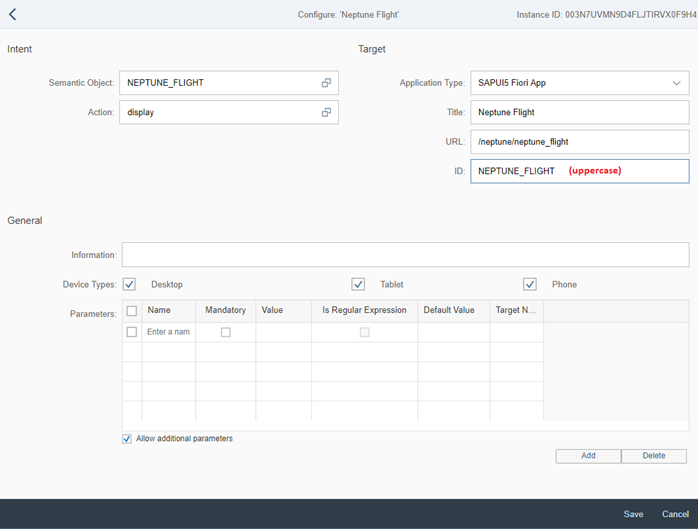
In newer Fiori admin tools, you may also see an ICF Path field. Set this to /neptune/<YOUR_APP_NAME>/(with the app name in uppercase).
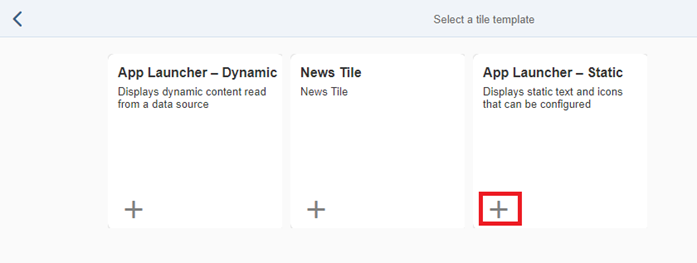
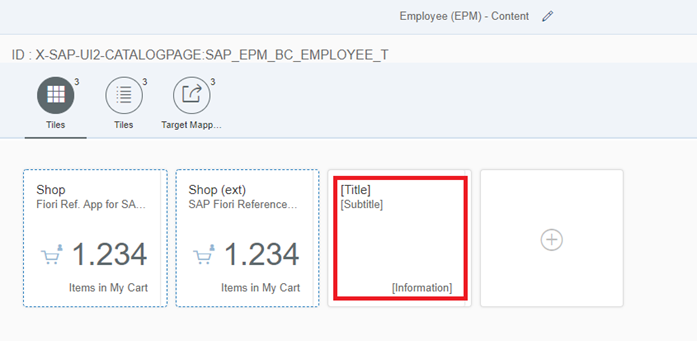
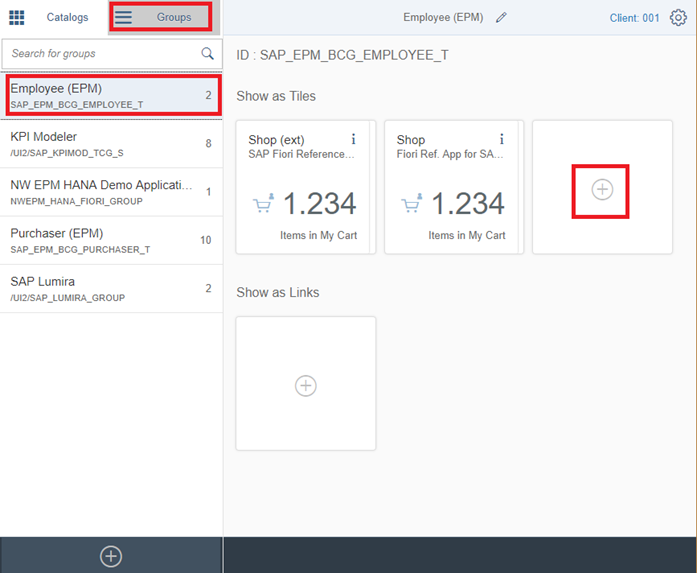
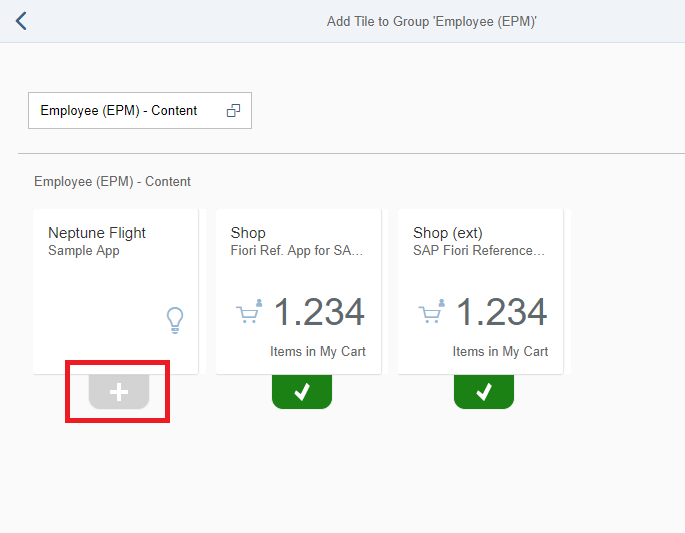
Create a new tile
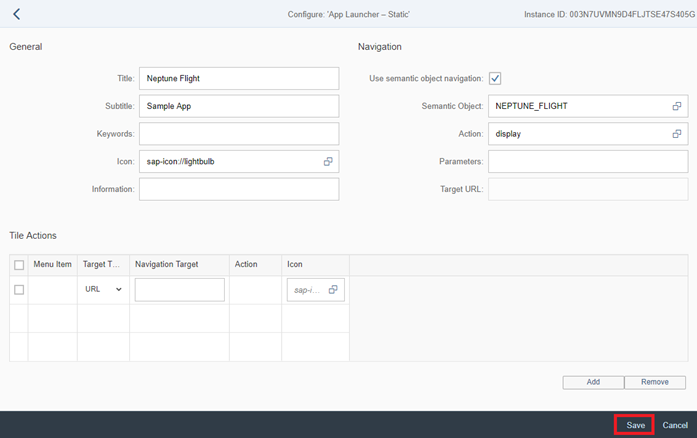
In the example below, a static tile is created:
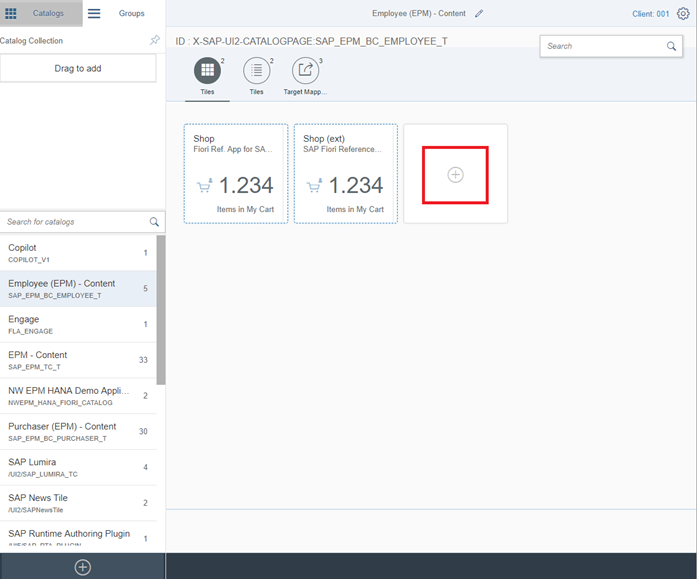
-
Use semantic object navigation: (selected)
-
Semantic Object: (Use the semantic object created, as described before.)
-
Action: (Choose a semantic action.)
Run
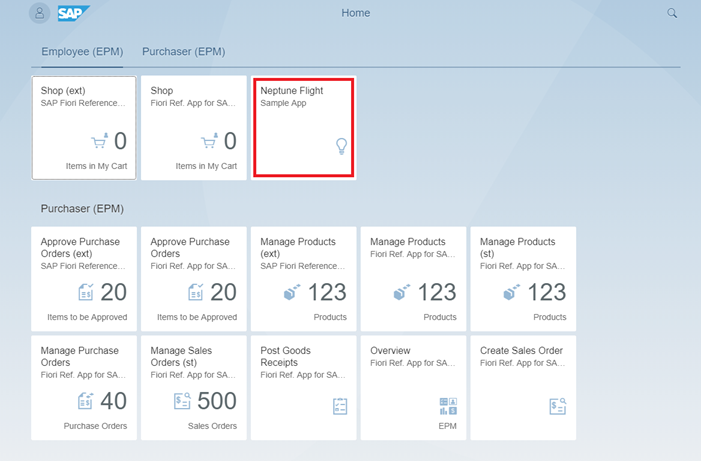
Run the SAP Fiori Launchpad. The new tile will now show.
|
In case you get the error on the front end "Could not open App. Try again later"
and the browser console shows an error similar to "Error - found in negative cache:
In the SAP Fiori Launchpad Designer, ensure the target mapping URL is set to
Reference: SAP Note 2428812 |