Neptune DXP - SAP Edition architecture
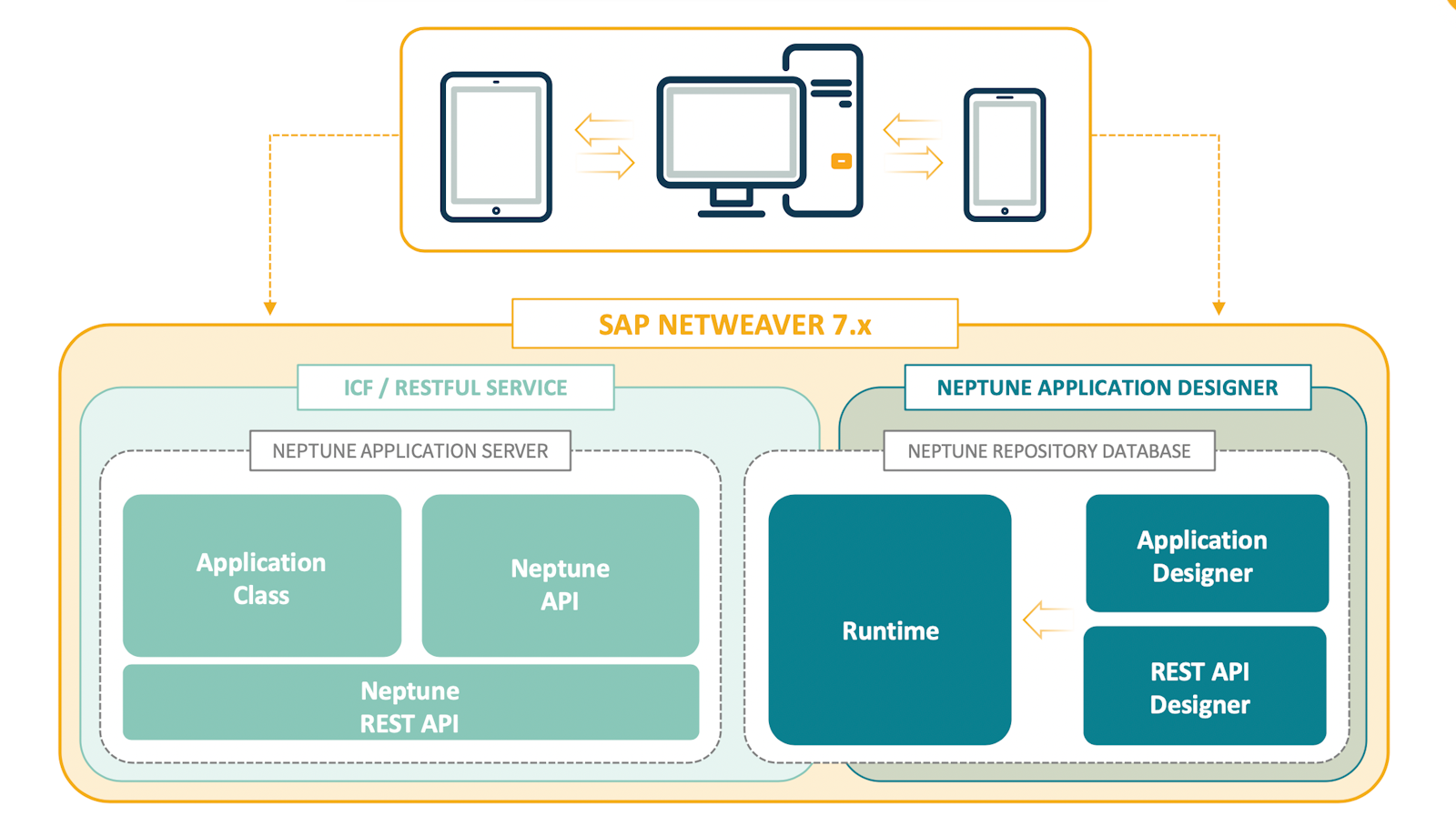
SAP system landscape
-
Installed with SAP transport
-
Updates as patches/hotfixes (also transports)
-
Installed on top of your existing SAP Business Suite
-
Installation performed on all SAP Servers in the production line (DEV,QUA,PRD)
-
Neptune development transported as normal transports
-
Dedicated node in SICF - /neptune/
-
High security when exposed from external network
-
Can run on different devices and frameworks
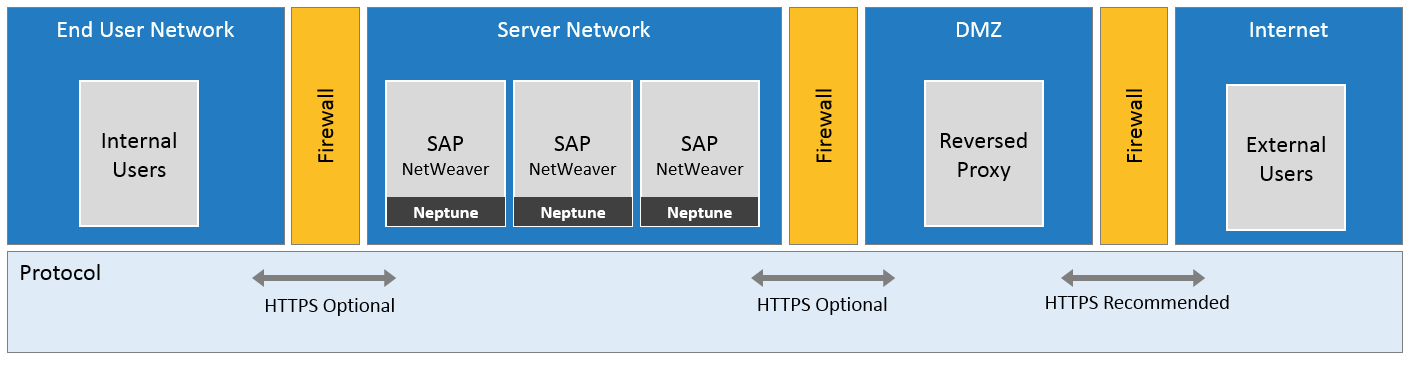
Reverse proxy
-
Neptune Server installed on each backend server (ABAP add-on)
-
Existing Reversed Proxy and Firewall for security
-
User access is based on SAP roles defined in the launchpad
-
No need for extra server infrastructure
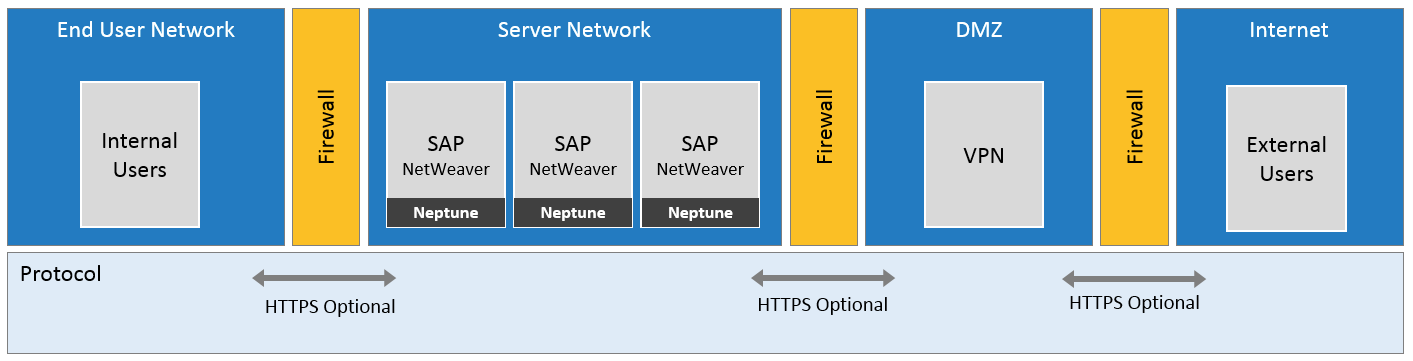
VPN setup
-
Neptune Server installed on each backend server (ABAP add-on)
-
Existing VPN and firewall for security
-
User access is based on SAP roles defined in the launchpad
-
No need for extra server infrastructure
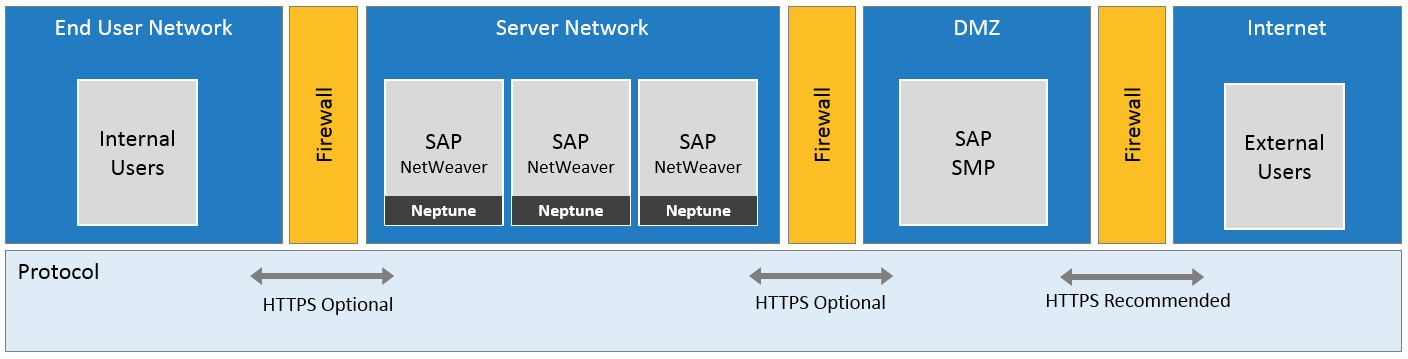
SMP on-premise
-
Neptune Server installed on each backend server (ABAP add-on)
-
SAP Mobile Platform as single point of entry
SAP HANA cloud platform (Cloud site portal / Mobile services)
-
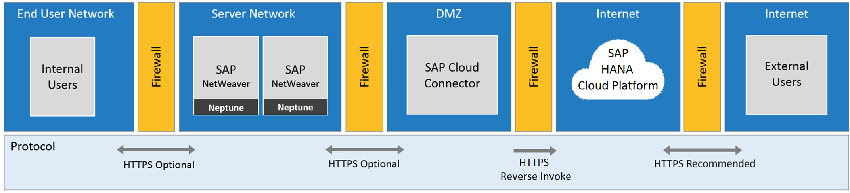
Neptune Server is installed on each backend server
-
UI runs on SAP HANA cloud platform and ABAP backend logic runs on the corresponding NetWeaver system
-
SAP Cloud Connector acts as a reverse-invoke proxy between the on-premise servers network and SAP HANA Cloud Platform
-
Authentication is done through SAP Hana cloud platform
-
User access based on SAP roles or HCP roles for SAP Fiori launchpad in the cloud or Neptune launchpad in the cloud
-
External authentication options allowed for external identity providers
-
Run launchpad and SAP Fiori launchpad next to each other in the cloud
SAP NetWeaver gateway
-
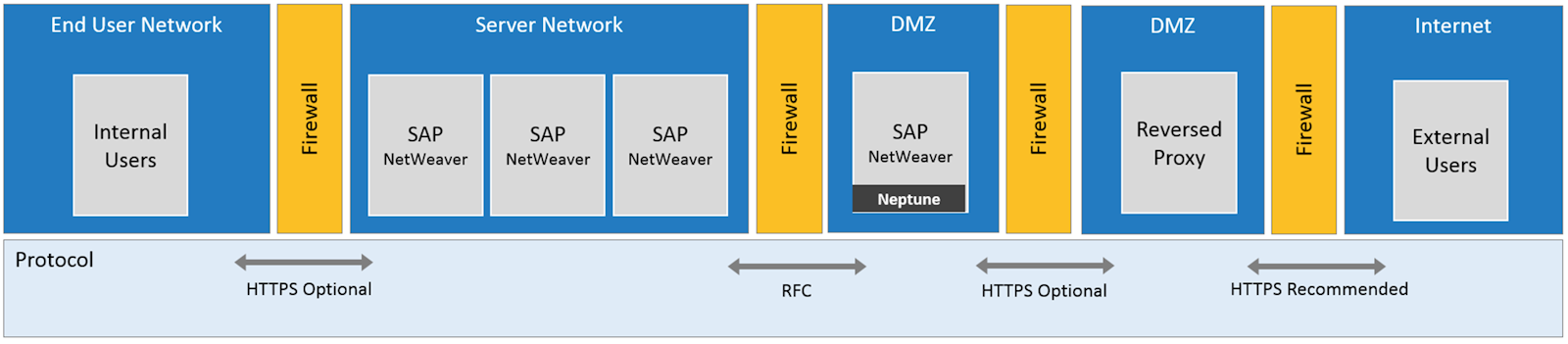
Neptune Server is installed on NetWeaver gateway (or any NetWeaver acting as a frontend server)
-
UI and backend classes running on NetWeaver gateway
-
Backend classes coded using RFC calls to manage data in different backend systems
-
Existing reverse proxy and firewall for security
-
User access based on SAP roles in SAP Fiori launchpad and Neptune launchpad
-
Single entry point
-
Run Neptune launchpad and SAP Fiori launchpad next to each other in the cloud
-
Need to code ABAP logic to use RFC-calls to different backend systems
Frontend/backend split
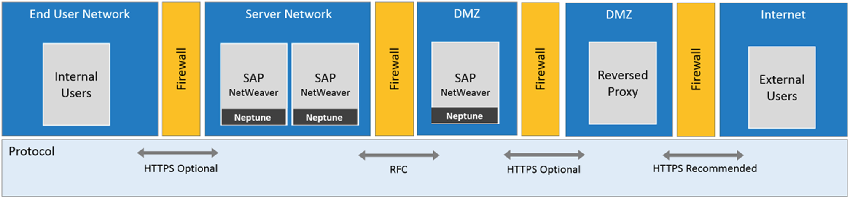
| The Neptune version must be the same on the Frontend and Backend server. |
-
Neptune server is installed on the frontend server and on SAP Business Suite.
-
Apps backend classes are coded in the corresponding backend system
-
Each application UI resides on the gateway system and the ABAP business logic on the corresponding backend system
-
User access based on SAP roles in SAP Fiori launchpad and Neptune launchpad
-
Single entry point
-
Run Neptune launchpad and SAP Fiori launchpad next to each other in the cloud
-
ABAP logic coded locally in each backend system
-
RFC destination is specified in the application settings in the App Designer
-
Use RFC mapping in the Cockpit to avoid having to change the RFC destination name in QA/Production
-
No need to code the ABAP logic in the gateway system by using RFC calls
-
Seamless communication between Neptune servers (UI and backend)
-
Easily reuse local existing ABAP logic in each backend server