Add a new quota plan
In this topic, you learn how to add a new quota plan for additional Space in your SAP Business Technology Platform (SAP BTP). In the quota plan, you allow the Space to use a specific amount of memory.
Prerequisites
-
You have created a trial account on the SAP Business Technology Platform (SAP BTP) in Set up a trial account.
-
You have created a subaccount on the SAP BTP with four memory units assigned in Set up a subaccount on the SAP Business Technology Platform.
-
You have enabled Cloud Foundry in Enable Cloud Foundry.
-
You have added organizational Space to your subaccount in Create organizational spaces.
Procedure
-
In the menu, open the Cloud Foundry submenu.
-
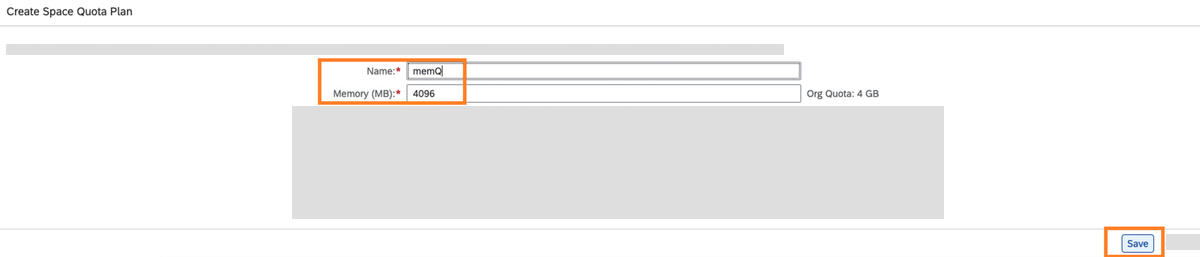
Select Quota Plans > New Plan.
-
Enter
memQas Name. -
Enter
4096in Memory (MB). This equals 4 GB and allows your Space to use all four memory units.
-
-
Select Save.
-
Select Plan Assignment > Quota Plan. Select
memQfrom the drop-down menu.
| Leave this tab open. You need information from the Cloud Foundry Environment tab in the next step. |