Run branches in parallel
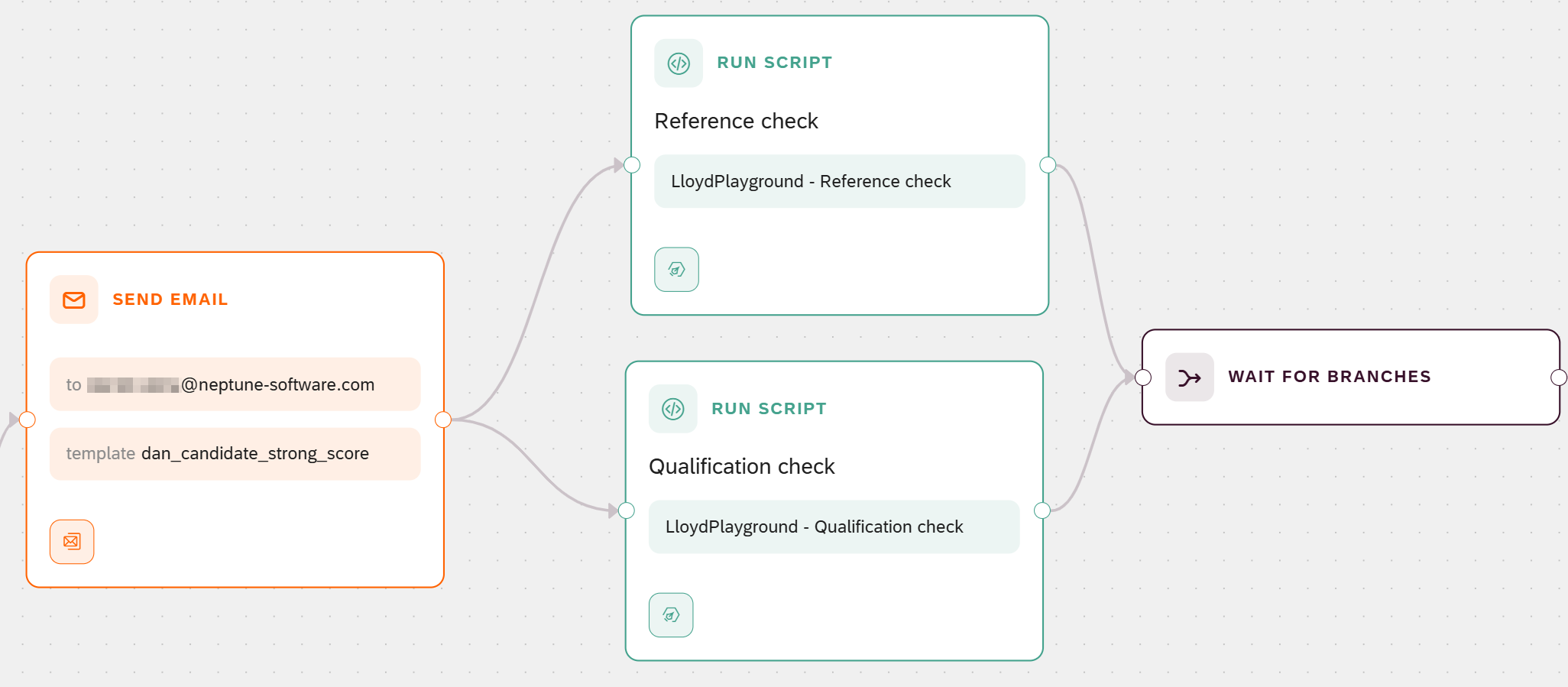
This task runs two checks at the same time on the strong-candidate path, then waits for both to finish before the process flow continues. In this example the two checks are a reference check and a qualification check, each built as a Run Script node. For the concept, see Branching, parallel paths, and looping.
Prerequisites
-
You have created the process flow.
-
You have defined the interface.
-
You have added a script and exposed its output.
-
You have added a decision.
-
You have acknowledged the application via email.
Procedure
-
Open the process flow on the canvas.
-
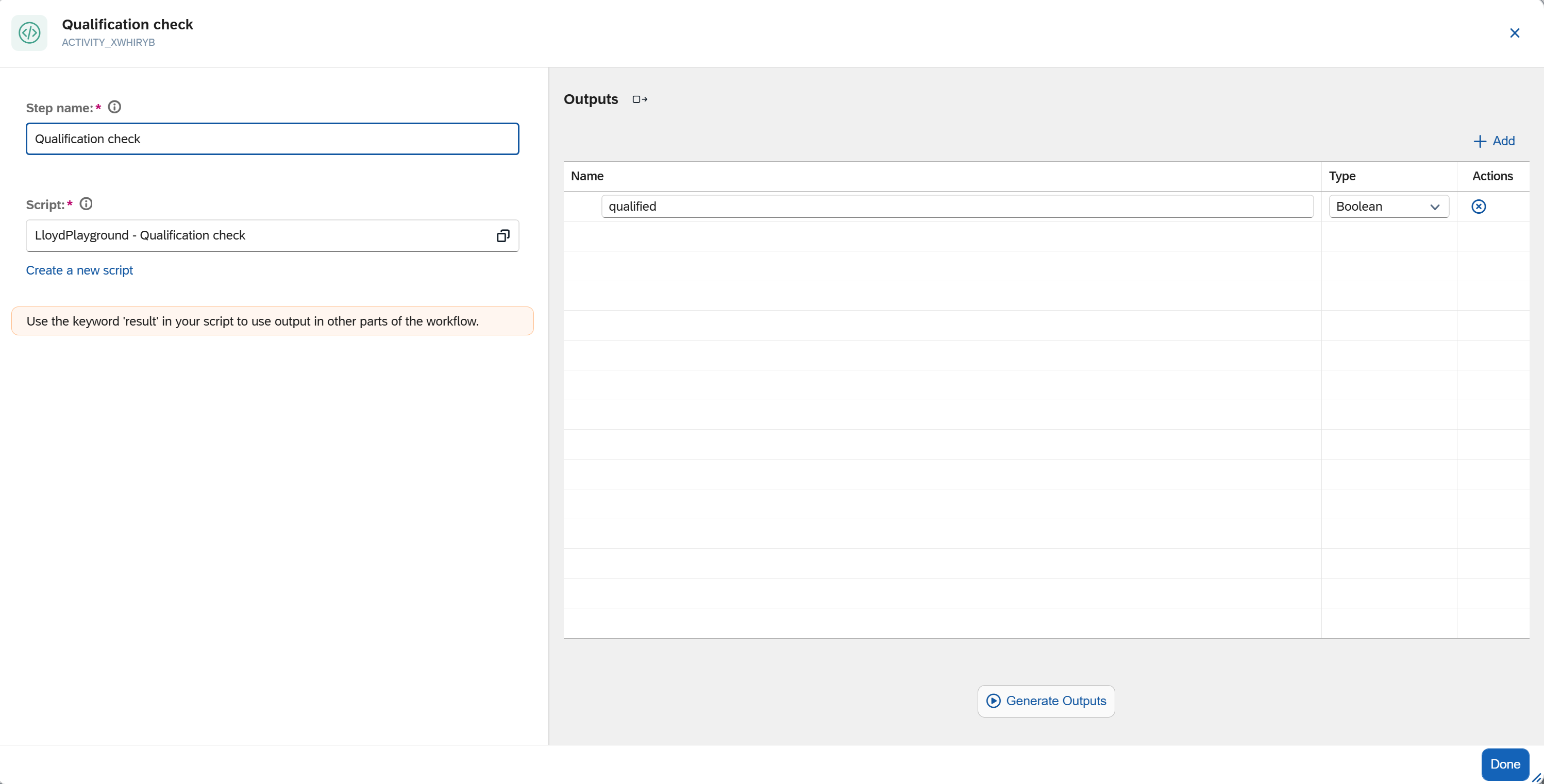
Add two Run Script nodes, one for each check. Create and select a script for each the same way as in Add a script and expose its output. For this example, each script returns a simple result with
result:// Reference check result = { data: { referencesOk: true } }// Qualification check result = { data: { qualified: true } } -
In Step name, name the two nodes, for example
Reference checkandQualification check.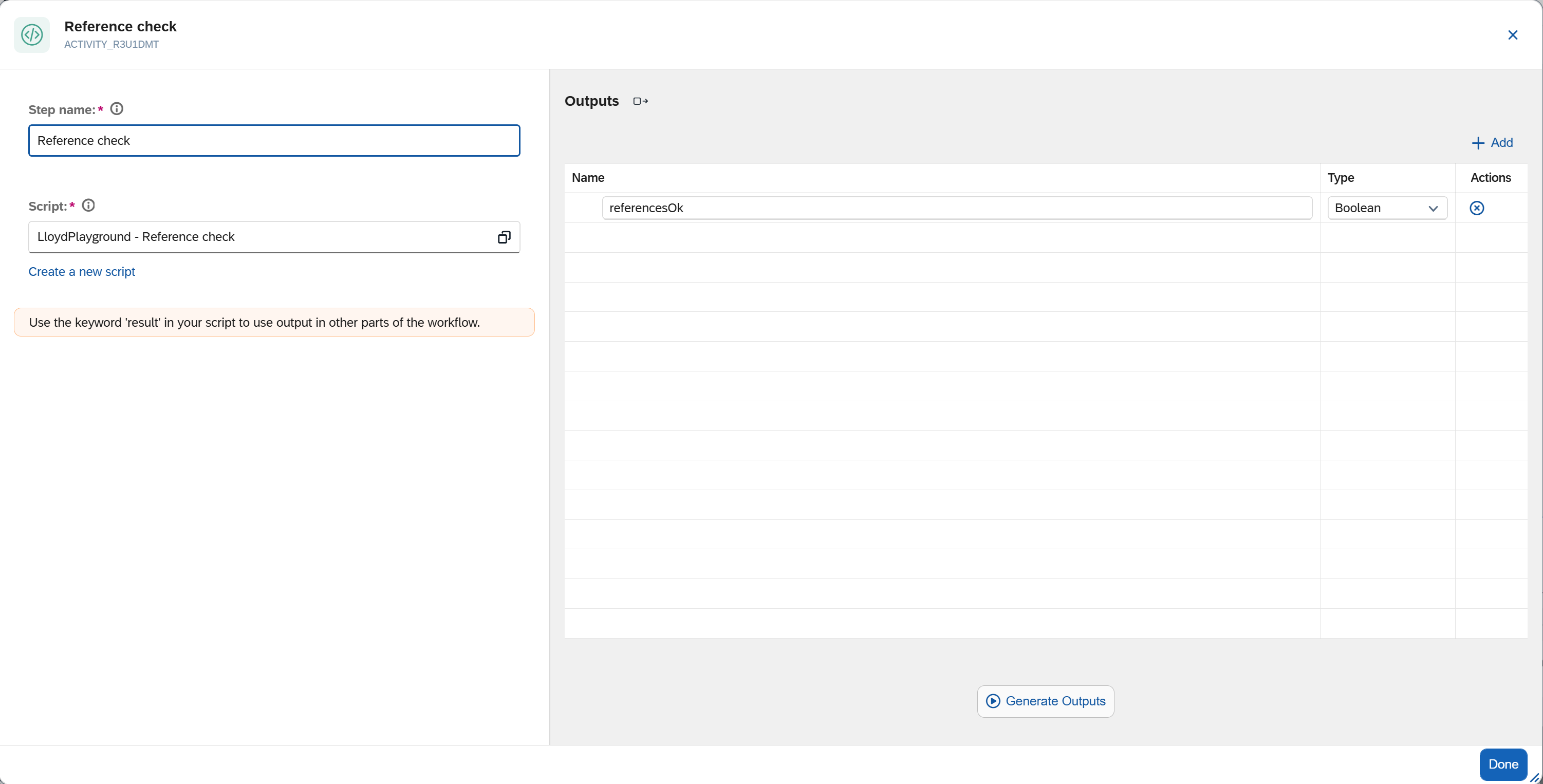
-
Connect the acknowledgment Send Email node to both Run Script nodes, so the two branches start together after the acknowledgment is sent.
-
Drag a Wait for Branches node onto the canvas, after the two Run Script nodes.
-
Connect both Run Script nodes to the Wait for Branches node.
-
Select Save to keep your progress.
|
Without a Wait for Branches node, the node the two branches lead into runs once for every incoming branch. The canvas shows a warning when it detects this. Add the Wait for Branches node so the next step runs exactly once. |
Results
-
On the strong-candidate path, the acknowledgment Send Email node fans out into the Reference check and the Qualification check, which run at the same time. The Wait for Branches node waits for both to finish before the process flow continues.
-
If either check fails, the run is marked as failed, and the logs record which check failed.
-
The Wait for Branches node has an outgoing connection point, but no target node yet. You connect it to the node that continues the process flow when you build that node in Add a user task. Once connected, that node runs exactly once, after both checks complete.
|
In this example the two checks are illustrative: their results are not read by a later step. To use a check’s result later in the process flow, expose it with Generate Outputs and bind it in a downstream node. See Add a script and expose its output and Binding syntax reference. |