Send an email
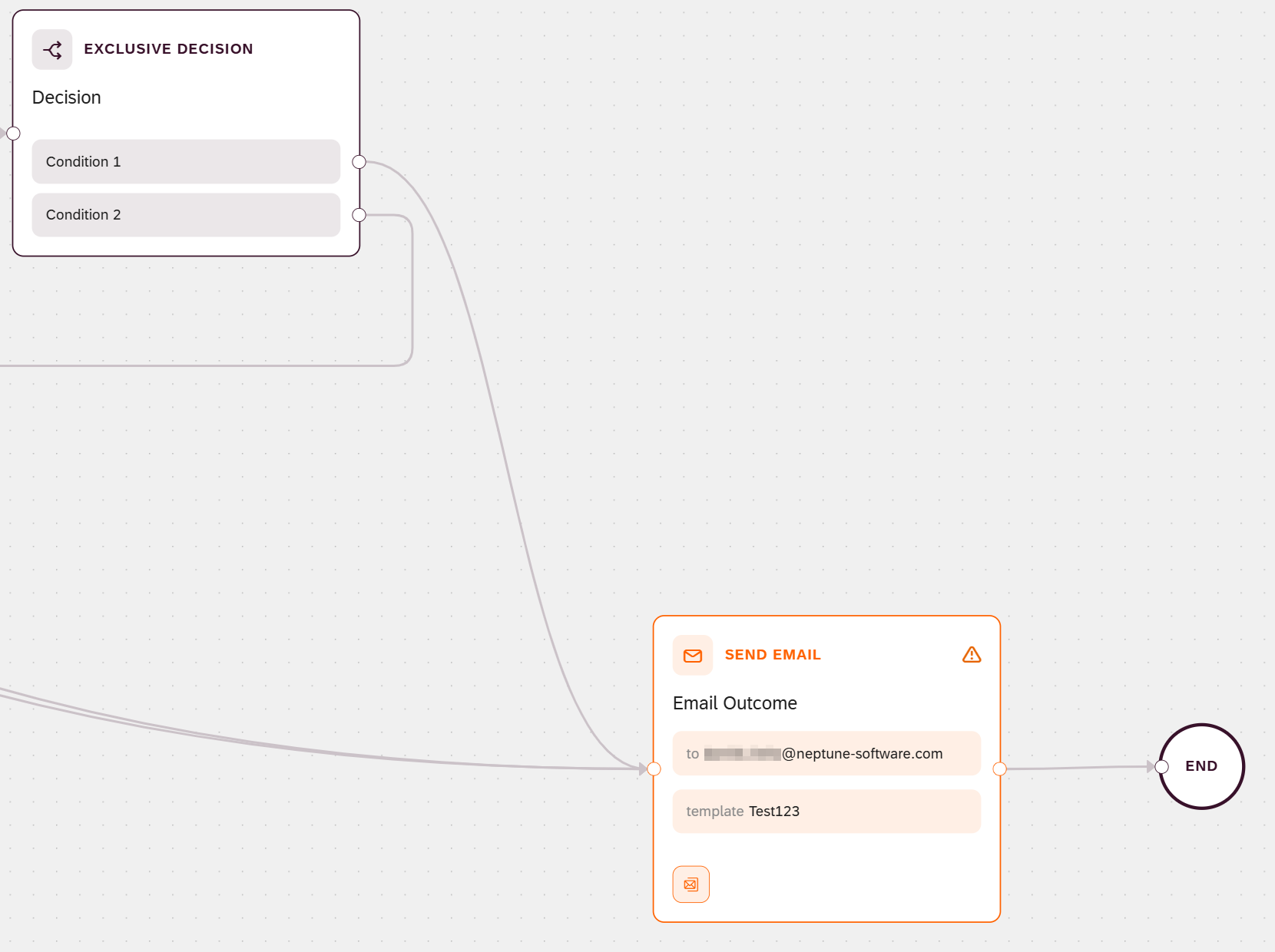
This task adds a second Send Email node, the one that emails the outcome to the candidate. You build it the same way as the acknowledgment email in Acknowledge the application via email, so this task focuses on what is specific to the outcome email: the paths that lead into it, and connecting it to the End event.
Prerequisites
-
You have created the process flow.
-
You have defined the interface.
-
You have added a script and exposed its output.
-
You have added a decision.
-
You have acknowledged the application via email.
-
You have run checks in parallel.
-
You have added a user task.
-
You have an outcome email template in the Email Template tool, using the
{=name}token format introduced in Acknowledge the application via email. For this example, a template that greets the candidate by name:Dear {=firstName}, Thank you for applying. We have finished reviewing your application, and we will be in touch with the outcome shortly. Kind regards, The hiring team
Procedure
-
Open the process flow on the canvas.
-
Drag a Send Email node onto the canvas.
-
Connect every path that ends in an outcome to the Send Email node:
-
The approve path from the Approver decision node (Add a user task).
-
The Borderline and Refer to junior role conditions from the Candidate score decision (Add a decision).
Each execution takes only one of these paths, so the Send Email node runs once per run. It needs no Wait for Branches node, because these paths are alternatives, not parallel branches.
-
-
Configure the node the same way as the acknowledgment email in Acknowledge the application via email: set a Step name such as
Email outcome, enter the candidate’s address in To (recipient), select the outcome Email template, and fill its tokens from the run’s data. See Binding syntax reference.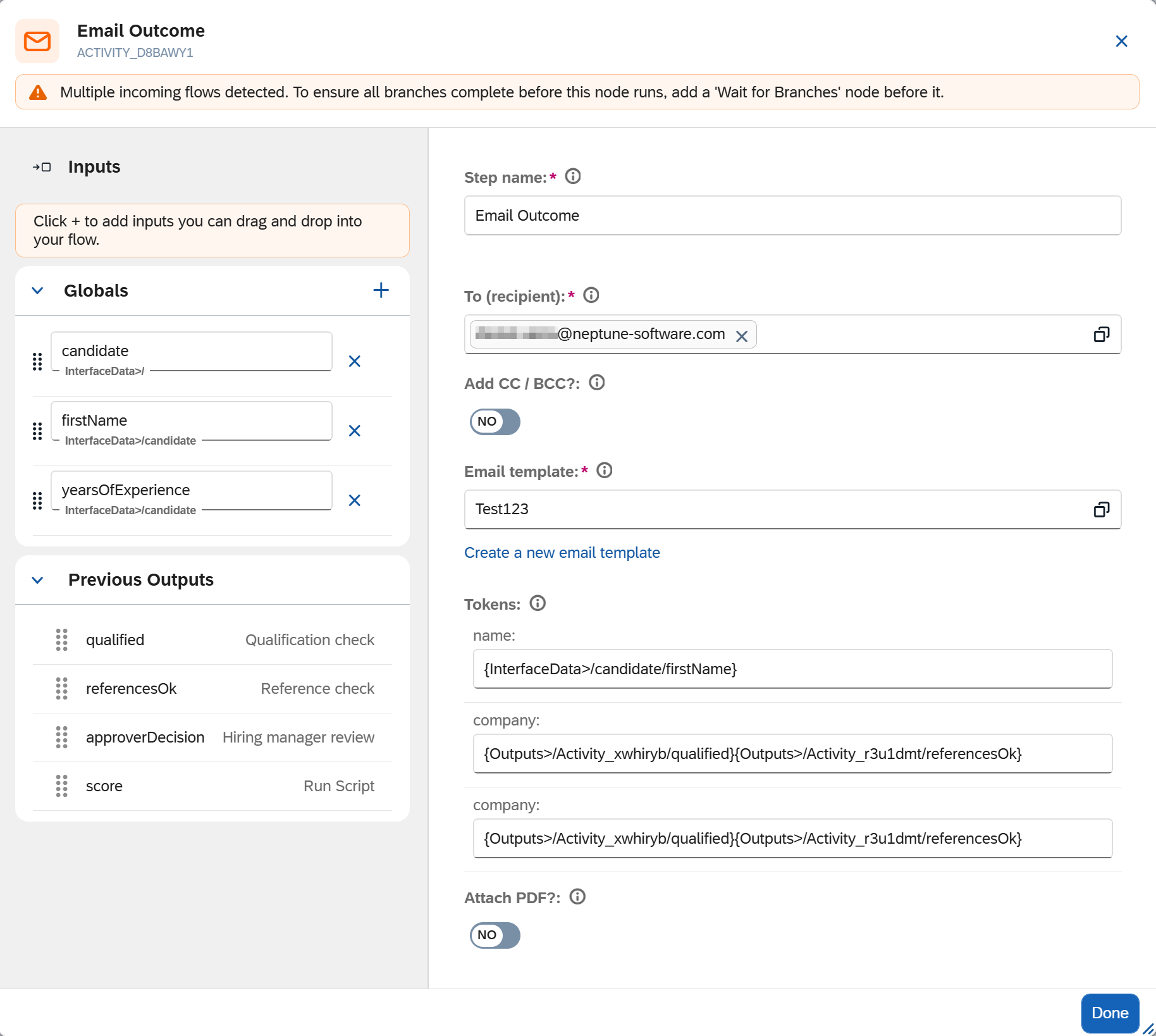
-
Optional: to add a copy recipient, turn on CC or BCC, and enter the addresses.
-
Optional: to attach a PDF, select a template from the PDF Designer.
-
Connect the Send Email node to the End event, so the process flow can complete.
-
Select Done.
Results
-
The process flow emails the outcome to the candidate.
-
The email’s tokens are filled with the run’s data.
-
The Send Email node connects to the End event, so the process flow is complete and an execution can finish.