Launchpad Designer user interface at a glance
This topic provides orientation within the Launchpad Designer. It describes the purpose of the major areas of the workspace rather than every individual control, so it stays relevant as the interface evolves.
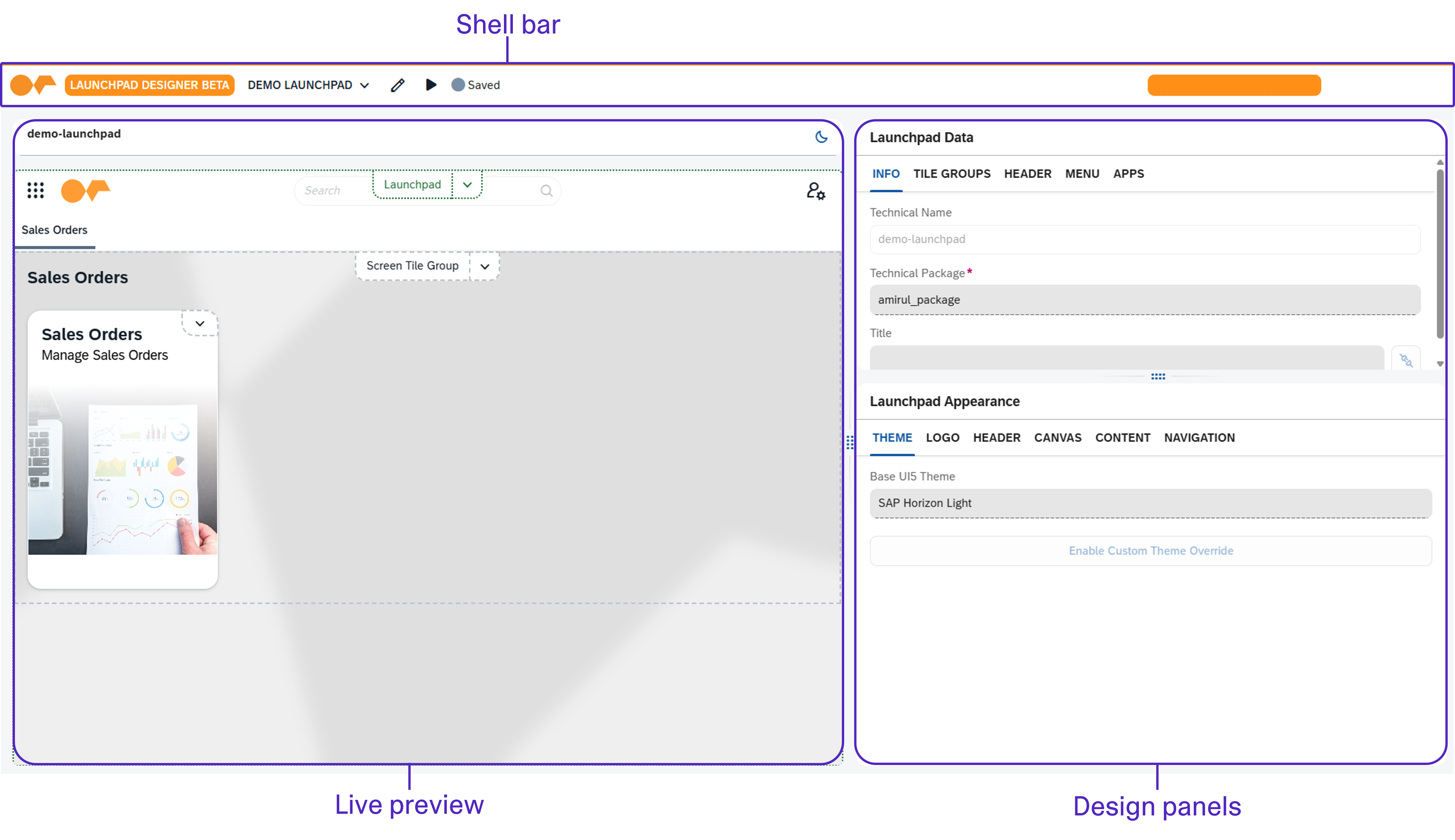
Major areas of the workspace
- Live preview
-
A representation of the launchpad that updates as you design, so you can judge the result in context. You can switch the preview between light and dark appearance, and between desktop, tablet, and phone sizes, to check the launchpad before activating. The preview can also show the login page and, for a PWA launchpad, the PIN code page, so authentication and login appearance can be reviewed the same way as the launchpad itself.
- Design panels
-
Grouped settings for the launchpad. Appearance settings are gathered in a single Appearance panel whose tabs follow the current selection and cover the launchpad, tile group, and tile levels. Configuration settings cover the launchpad structure and launchpad-level behavior such as header, navigation, logo, authentication, language, and PWA. The panel headers name the element you have selected, so it is clear which launchpad, tile group, or tile you are editing.
- Field-level help
-
A help icon at each field opens a short description of what that field does, so the detail of an individual setting is available where you use it.
Shell bar
- Edit mode
-
While editing, selecting an element in the preview targets it for design rather than triggering its runtime action, so you can choose what to work on without leaving the Designer.
- Change indicators
-
The Designer tracks which parts of the design differ from the saved configuration, so you can see at a glance where you have unsaved changes. It also shows where appearance values carry a saved override, and how many, so a value that is merely inherited and one that has been deliberately overridden can be told apart. An override can be reset so the value falls back to what it inherits.
- Save and activate
-
Persists the design and generates the governed launchpad configuration used at runtime.
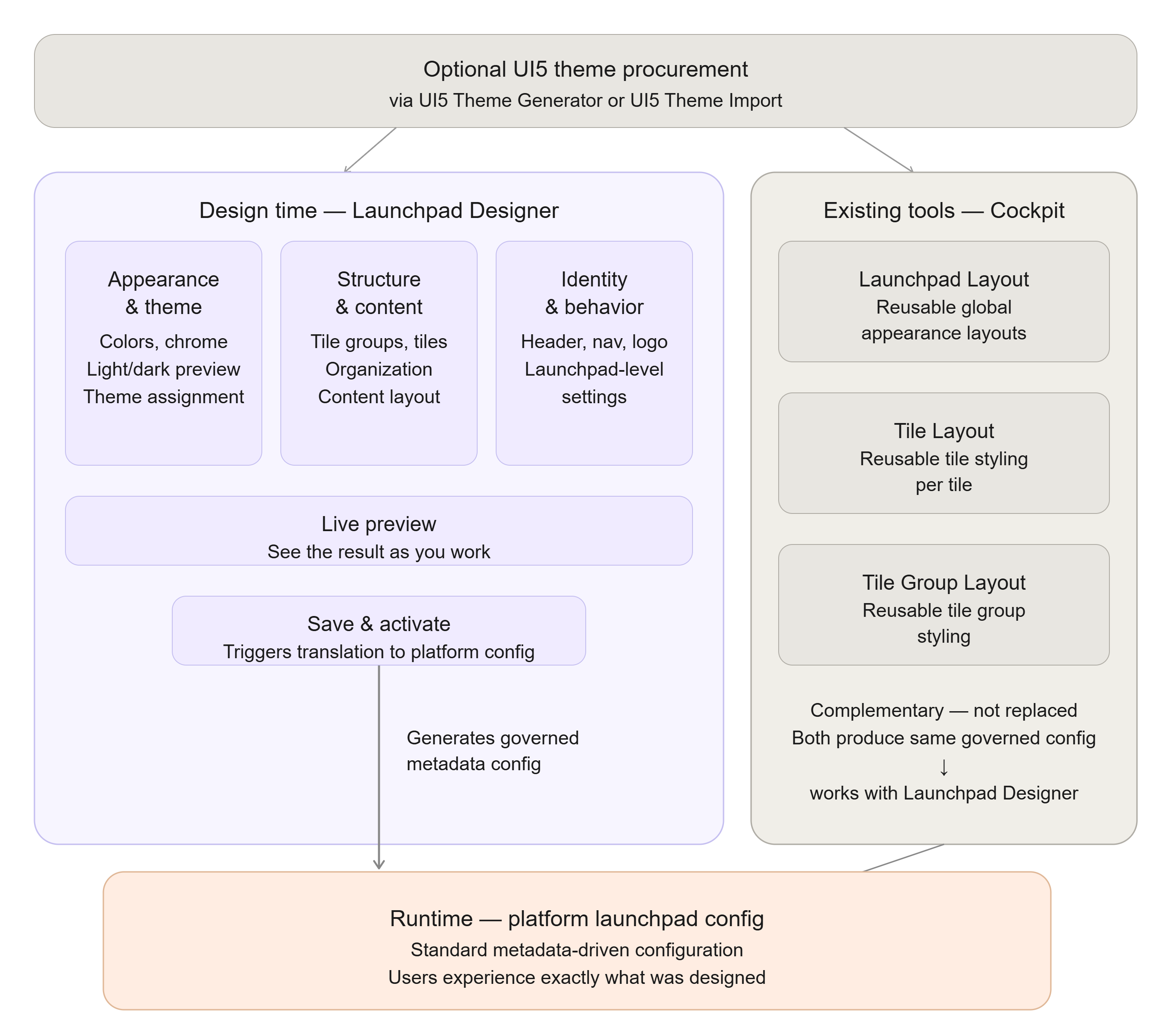
How the workspace maps to the runtime user launchpad experience
The areas of the workspace correspond to parts of the running launchpad: the appearance and theme settings determine how the launchpad chrome is colored and themed, and the structure settings determine which tile groups and tiles appear and how they are organized. Because the design is translated into the platform’s standard launchpad configuration on activation, what you arrange at design time is what users experience at runtime.