Acknowledge the application via email
This task adds the first Send Email node in the scenario. On the strong-candidate path, it emails the candidate to acknowledge their application, and it is the node that starts the two checks in Run branches in parallel. This is also where you learn how to configure a Send Email node, which you reuse for the outcome email in Send an email.
Prerequisites
-
You have created the process flow.
-
You have defined the interface.
-
You have added a script and exposed its output.
-
You have added a decision.
-
You have an email template in the Email Template tool. To add a placeholder to a template, use the token format
{=name}. For this example, a short acknowledgment template:Dear {=firstName}, Thank you for your application. We are now running qualification and reference checks, and we will be in touch with the outcome. Kind regards, The hiring team
Procedure
-
Open the process flow on the canvas.
-
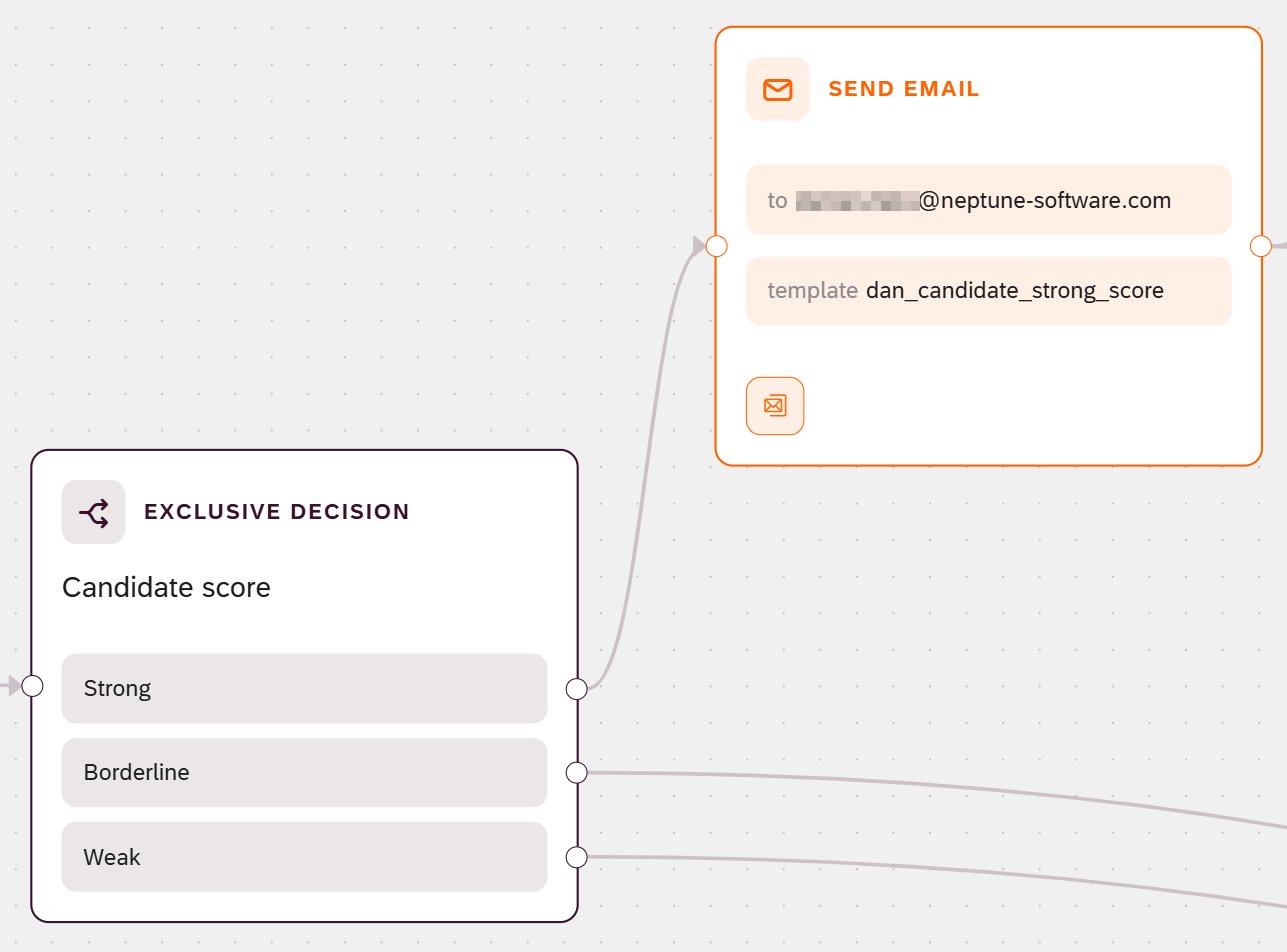
Drag a Send Email node onto the canvas, and connect the Strong condition of the Decision node to it.
-
Select the Send Email node to open its details.
-
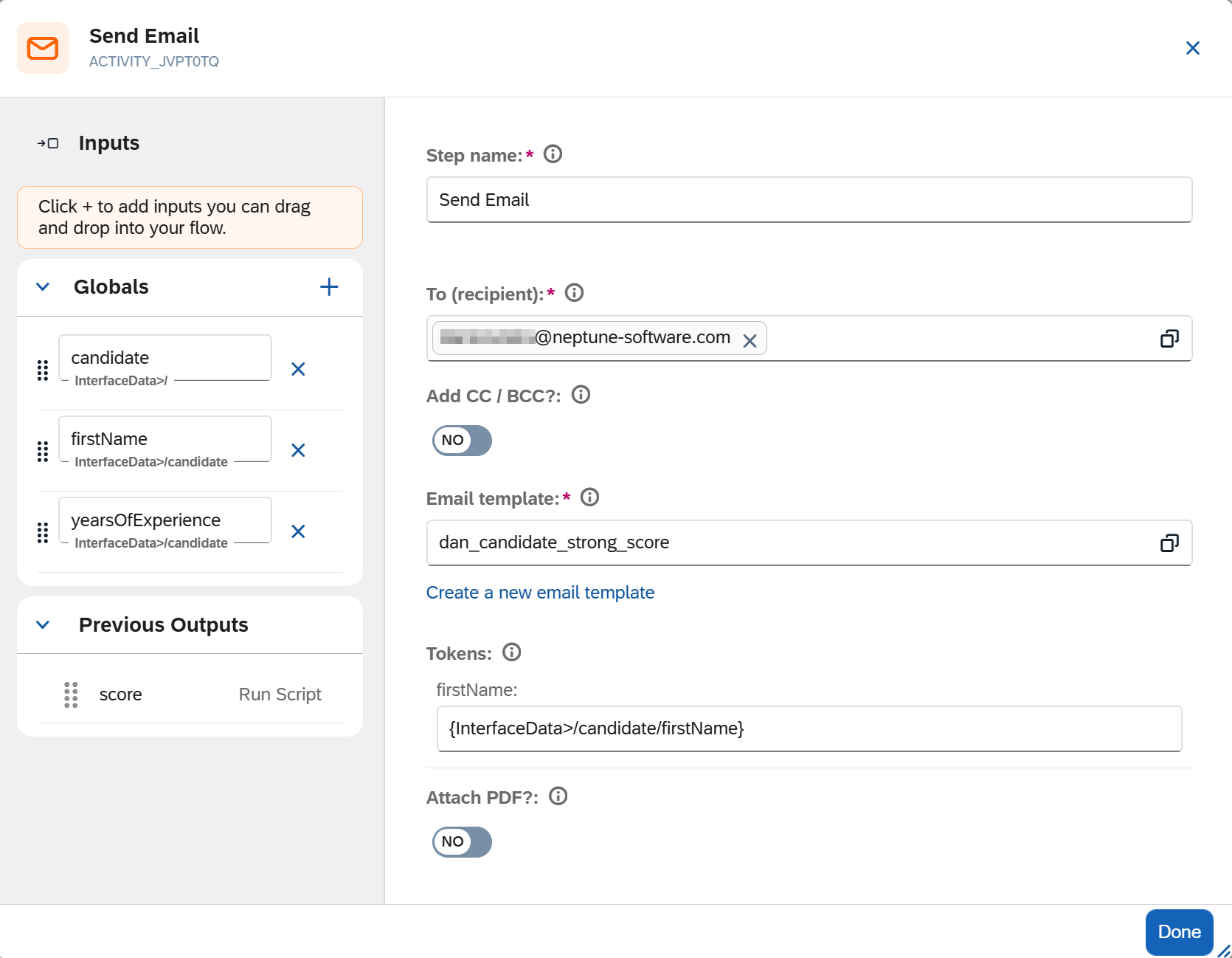
In Step name, enter a meaningful name, for example
Acknowledge application. -
In To (recipient), enter the candidate’s email address. To use more than one address, separate them with commas.
-
Select the Email template.
Result: The template’s placeholder tokens appear as fields to fill in.
-
Fill each token with a value. You can drag an input from the Inputs panel into a token in place of typing it. For this example, fill the
firstNametoken with the candidate’s first name from interface data. See Binding syntax reference. -
Select Done.
Results
-
On the strong-candidate path, the Send Email node emails the acknowledgment to the candidate.
-
The node has an outgoing connection point, but no target node yet. You connect it to the two parallel checks in Run branches in parallel.