Bind an OData Source to a table
Once you have created and saved an OData Source, you can reference it in any app by attaching an OData model to the app’s resources and binding UI controls to entity sets or entity types.
If you want Neptune to generate a complete list-and-detail app for you instead of binding controls by hand, see Create floorplan-based apps from an OData Source.
Procedure
Attach the OData model
-
Create a new app in the App Designer.
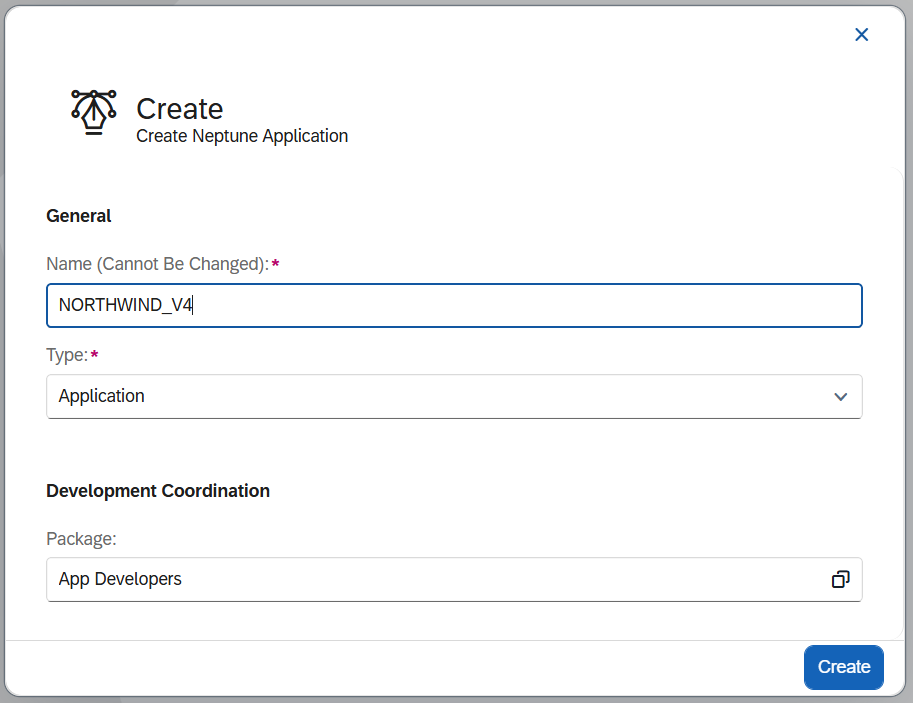
-
Since there are no settings to be changed in Application Settings, go to Designer.
-
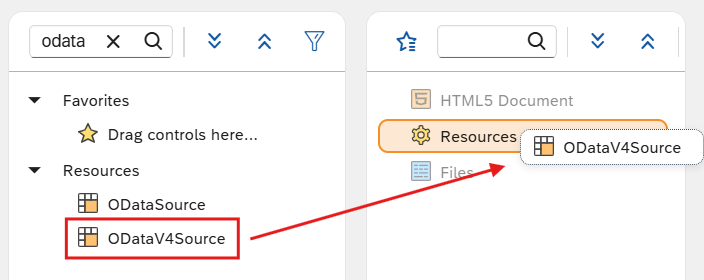
In the object search field of the Component library, type
odata.Result: The model objects ODataSource and ODataV4Source appear.
-
Drag the appropriate model, ODataSource or ODataV4Source, into the Application tree.
-
Select the new model entry.
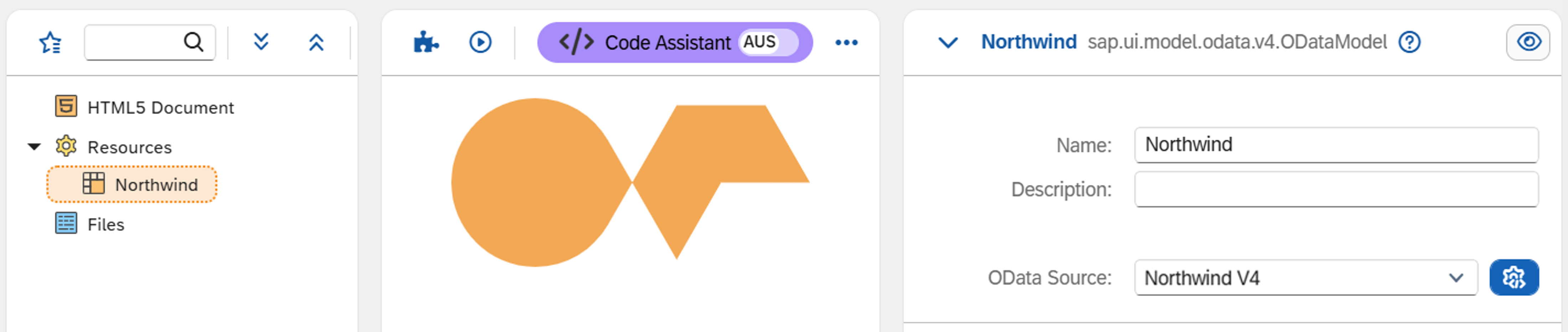
In the Properties pane:
-
Give the model a descriptive name.
-
In the OData Source drop-down, select your OData Source.
-
Bind a UI control to an entity set
-
Drag and drop the UI elements
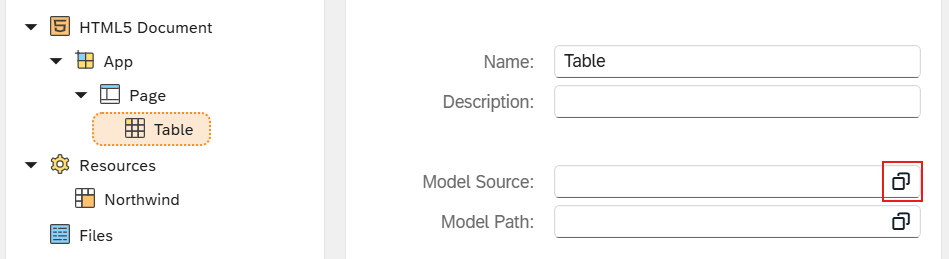
App,Page, andTablefrom the Component library into the Application tree, each as subitems. -
Open the binding dialog for the element.
-
Expand the entity set tree for your OData Source and select the target entity set, for example
Customers.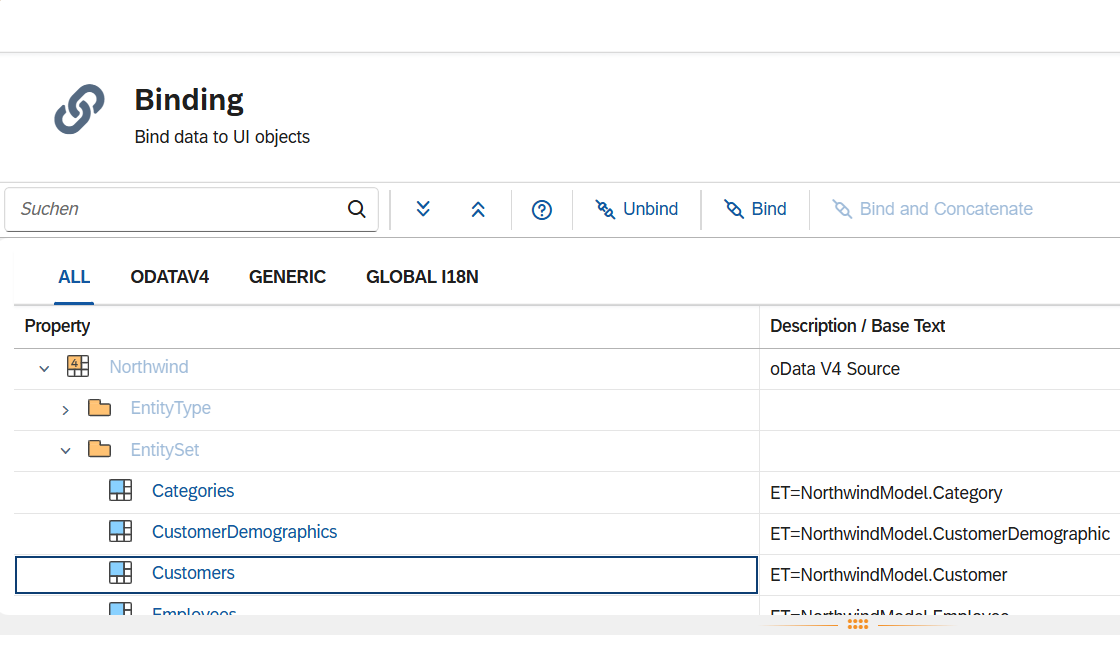
-
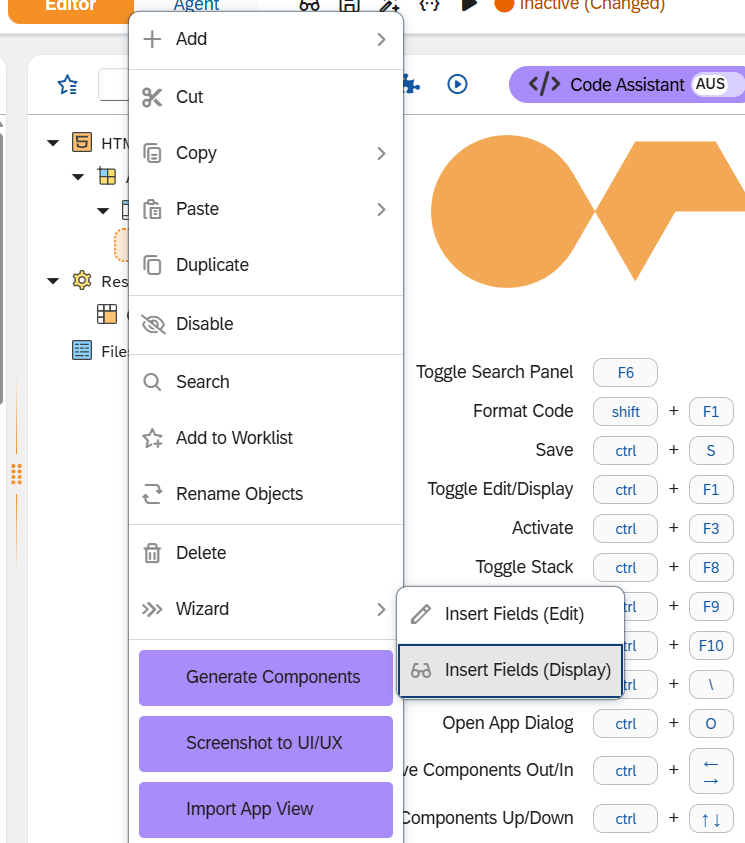
To add bound fields automatically, right-click the element (for example, the
Tableobject) and choose:-
Wizard → Insert Fields (Display) for read-only fields, or
-
Wizard → Insert Fields (Edit) for editable fields.
-
-
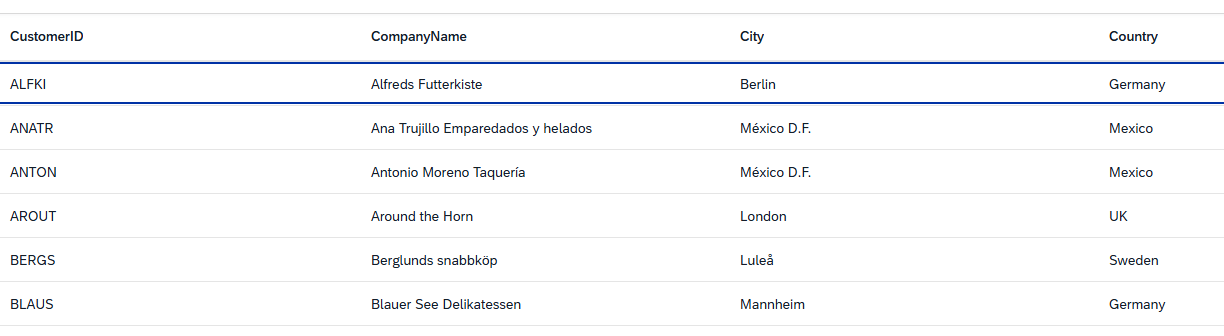
In the field selection dialog, choose the fields to include and adjust column header labels as required.
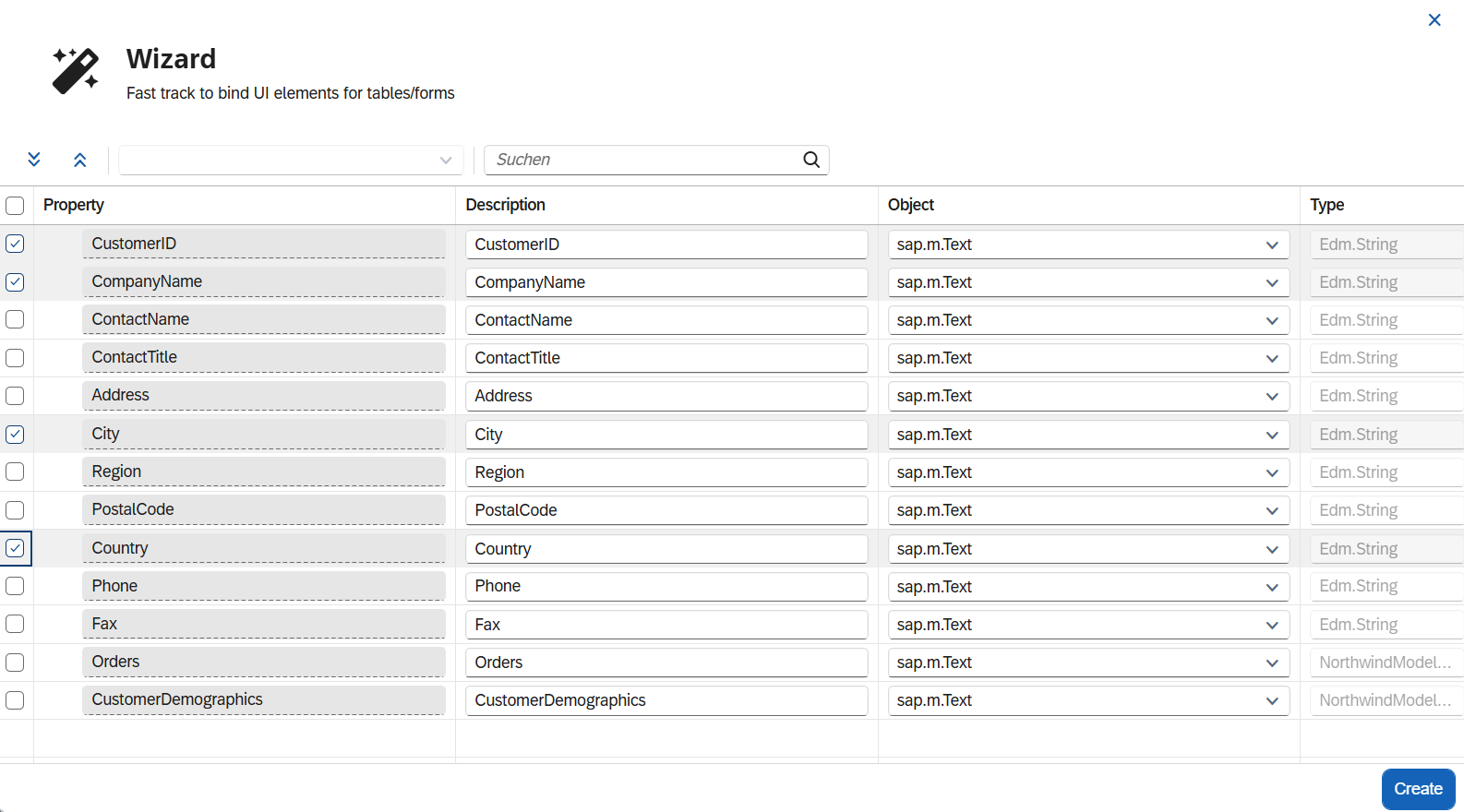
Select Create.

Binding approach: OData model vs intermediate JSON model
When binding a UI control to OData data, there are two approaches.
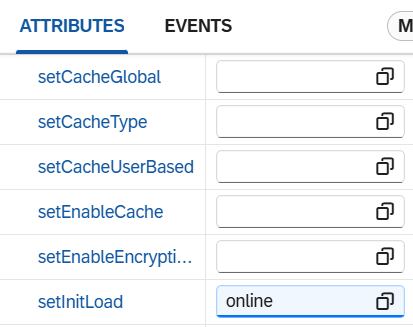
Direct OData binding: the UI control talks directly to the OData model. OData read, sort, filter, and navigation operations work natively without additional JavaScript. This is the simpler approach for online scenarios.
Intermediate JSON model: the OData read operation pulls data into a local JSON model, which is then bound to the control. This enables offline scenarios because the JSON model can be cached locally. However, write operations (create, update, delete), sorting, and filtering against the OData service require manual JavaScript implementation.